> For the complete documentation index, see [llms.txt](https://docs.scaleflex.com/llms.txt). Markdown versions of documentation pages are available by appending `.md` to page URLs; this page is available as [Markdown](https://docs.scaleflex.com/dynamic-media-optimization-dmo/transformations/image-optimization/filters/adjustment/brightness.md).
# Brightness
Brightness correction
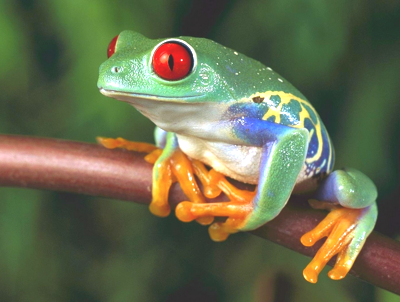
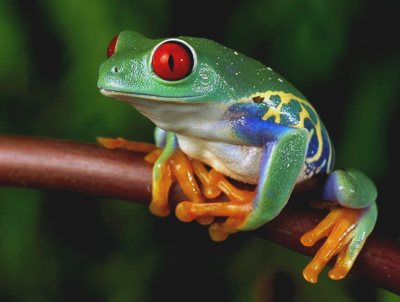
To adjust the brightness, you can use the **bright** filter and set the desired adjustment value.
**bright=X**
## Examples
| Preview | Syntax |
| ------------------------------------------------------------------------------------------------------------------------------------------------------------------------------------------------------------------- | ---------------------------------------------------------------------------------------------------------------------------------------------------------------------------------------------------------------------------------------------------- |
|  | Original image:
/docs/frog.png?w=400
|
|  | Increased brightness:
/docs/frog.png?w=400&bright=15
|
|  | Decreased brightness:
/docs/frog.png?w=400&bright=-10
|