# Sharpen

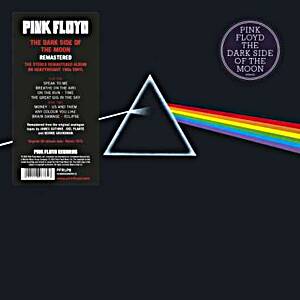
Sharpening is a powerful tool to emphasise texture and details, especially on smaller images, e.g. thumbnails. Filerobot can apply an **unsharp mask** filter which will make your image look sharper. You can specify the filter radius (X) in pixels.

<mark style="color:green;">**sharp=X**</mark>

## Examples

| Preview                                                                                                                                                                                                             | Syntax                                                                                                                                                                                                                                               |
| ------------------------------------------------------------------------------------------------------------------------------------------------------------------------------------------------------------------- | ---------------------------------------------------------------------------------------------------------------------------------------------------------------------------------------------------------------------------------------------------- |
| ![](https://2536208400-files.gitbook.io/~/files/v0/b/gitbook-x-prod.appspot.com/o/spaces%2Fqsq2dR7Fjagf5eTifWZx%2Fuploads%2FV41MTemCWWZHYzD8SYxp%2Fimage.png?alt=media\&token=c10e4488-9510-4acf-8dd9-8bf13401b472) | <p>Only resize:<br><a href="https://fdocs.filerobot.com/docs/darkside.jpg?w=300">/docs/darkside.jpg?<mark style="color:orange;"><strong>w=300</strong></mark></a></p>                                                                                |
| ![](https://2536208400-files.gitbook.io/~/files/v0/b/gitbook-x-prod.appspot.com/o/spaces%2Fqsq2dR7Fjagf5eTifWZx%2Fuploads%2FV4rqbRNfDzyiFhKcmIoK%2Fimage.png?alt=media\&token=e78b2d61-82e3-4435-9ac1-90f9fc0e2133) | <p>Resize and sharpen:<br><a href="https://fdocs.filerobot.com/docs/darkside.jpg?w=300&#x26;sharp=3">/docs/darkside.jpg?<mark style="color:orange;"><strong>w=300</strong></mark>&<mark style="color:green;"><strong>sharp=3</strong></mark></a></p> |
|                                                                                                                                                                                                                     |                                                                                                                                                                                                                                                      |