> For the complete documentation index, see [llms.txt](https://docs.scaleflex.com/llms.txt). Markdown versions of documentation pages are available by appending `.md` to page URLs; this page is available as [Markdown](https://docs.scaleflex.com/portals/building-a-portal/sections/section-layout-and-background.md).

# Section layout and background

Set a section's width, spacing, alignment and background.

Two separate controls on a section's toolbar: **Section settings** for how the section sits on the page, and **Add background** for what is behind it.

## Section layout

Open it from the cog on the section toolbar. It has two groups, and closes with **Apply changes**.

<figure><img src="https://2536208400-files.gitbook.io/~/files/v0/b/gitbook-x-prod.appspot.com/o/spaces%2Fqsq2dR7Fjagf5eTifWZx%2Fuploads%2FzqPscrtKtkYe1gcECRbI%2Fimage.png?alt=media&#x26;token=504d9c3e-1bf4-4f99-8ab6-ad3cdc095d6e" alt="" width="375"><figcaption><p>The section layout panel, opened from the cog on the section toolbar.</p></figcaption></figure>

### Layout

| Setting                 | What it does                                                                                    |
| ----------------------- | ----------------------------------------------------------------------------------------------- |
| **Max section width**   | How wide the content is allowed to get, from narrow up to full screen.                          |
| **Section edges**       | Whether the section runs to the edge of the page or stops inside it. Multi-column layouts only. |
| **Bottom edge**         | A divider under the section, separating it from the next.                                       |
| **Text alignment**      | Left or centred.                                                                                |
| **Display decorations** | Shows or hides the variant's decorative flourishes.                                             |
| **Image position**      | Which side the image sits on, in sections that pair text with one.                              |

### Spacing

**Top padding** and **Bottom padding** set the space above and below the section; **Vertical spacing** sets the space between its own parts.

Use padding to group things: a section with little padding above and lots below reads as belonging to what precedes it. Even padding everywhere reads as a list of unrelated blocks.

## Section background

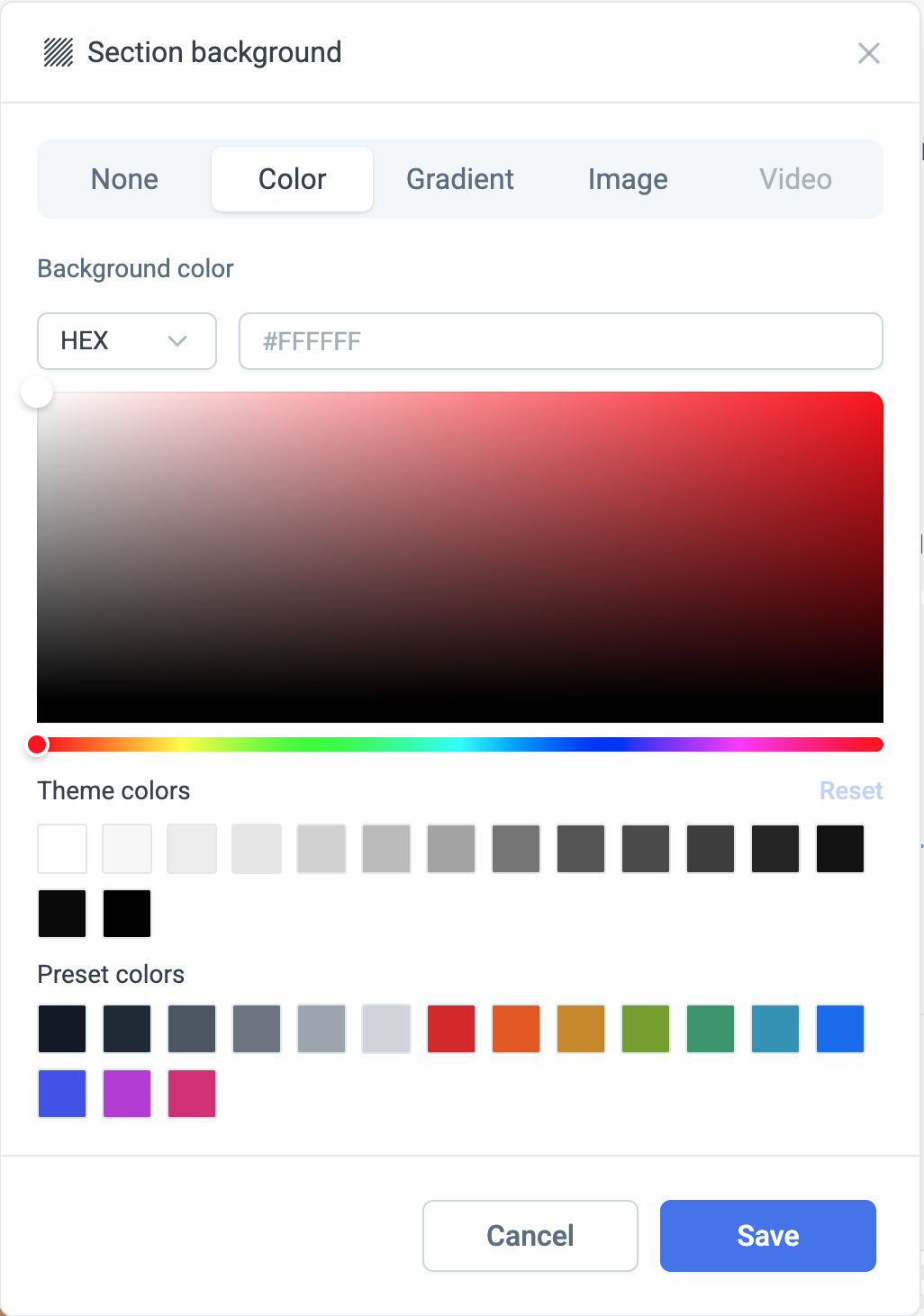
**Add background** on the toolbar sets what sits behind the section — a colour, a gradient, or an image.

<div align="left"><figure><img src="https://2536208400-files.gitbook.io/~/files/v0/b/gitbook-x-prod.appspot.com/o/spaces%2Fqsq2dR7Fjagf5eTifWZx%2Fuploads%2FQN1cWlZ422UG2kDWRiND%2Fimage.png?alt=media&#x26;token=edbc678c-6e2f-494c-8894-c3d18d242822" alt="" width="375"><figcaption><p>The <strong>Section background</strong> dialog on <strong>None</strong> — the section keeps the theme's own background.</p></figcaption></figure> <figure><img src="https://2536208400-files.gitbook.io/~/files/v0/b/gitbook-x-prod.appspot.com/o/spaces%2Fqsq2dR7Fjagf5eTifWZx%2Fuploads%2FNzMvLR8fjeVvRuevk5tK%2Fimage.png?alt=media&#x26;token=4f6dbc7d-5a0a-41c2-a590-8aecdfd5f223" alt="" width="375"><figcaption><p>The <strong>Color</strong> tab, with a picker, your theme colours and the presets.</p></figcaption></figure></div>

{% hint style="info" %}
If text becomes hard to read over a background image, an overlay at 30–50% is usually enough. Ask whether the image is carrying meaning or just atmosphere — if it's atmosphere, darkening it costs nothing.
{% endhint %}