> For the complete documentation index, see [llms.txt](https://docs.scaleflex.com/llms.txt). Markdown versions of documentation pages are available by appending `.md` to page URLs; this page is available as [Markdown](https://docs.scaleflex.com/dynamic-media-optimization-dmo/transformations/image-optimization/operations/crop/aspect-ratio-crop.md).
# Aspect ratio crop
Crop by aspect ratio or aspect ratio range.
Sets target aspect ratio or aspect ratio range when cropping. Aspect ratios can be set as decimal values (1.778) or ratios (16:9).
**aspect\_ratio=AR** | **ar=AR**
**aspect\_ratio=AR1,AR2** | **ar=AR1,AR2**
## **Crop and resize**
If you provide only one dimension parameter (**width** or **height**) and **aspect\_ratio**, the other dimension will be calcualted. If you include both **width** and **height** in the URL, **aspect\_ratio** is ignored.
### Examples
| | |
| ------------------------------------------------------------------------------------------------------------------------------------------------------------------------------------------------------------------- | ------------------------------------------------------------------------------------------------------------------------------------------------------------------------------------------------------------------------------------------------------------ |
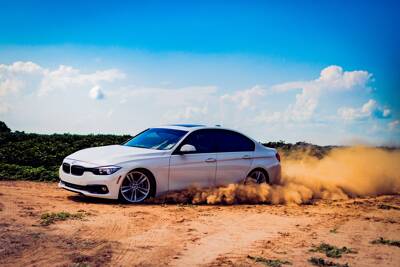
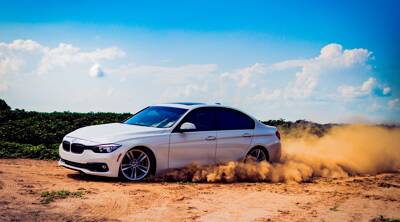
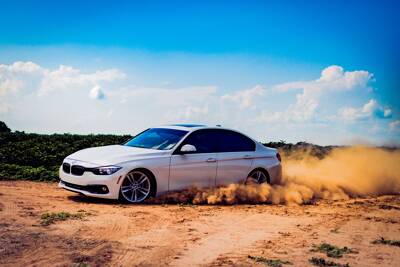
|  | Original aspect ratio (3:2 or 1.5):
/docs/car1.jpg?w=400
|
|  | Cropped to 1.8:
/docs/car1.jpg?w=400&aspect\_ratio=1.8
|
## Crop without resize
If you provide only **aspect\_ratio** and no dimensions (**width** or **height**), the image will be cropped without resizing.
### Examples
| Preview | Syntax |
| ------------------------------------------------------------------------------------------------------------------------------------------------------------------------------------------------------------------- | --------------------------------------------------------------------------------------------------------------------------------------------------------------------------------------------- |
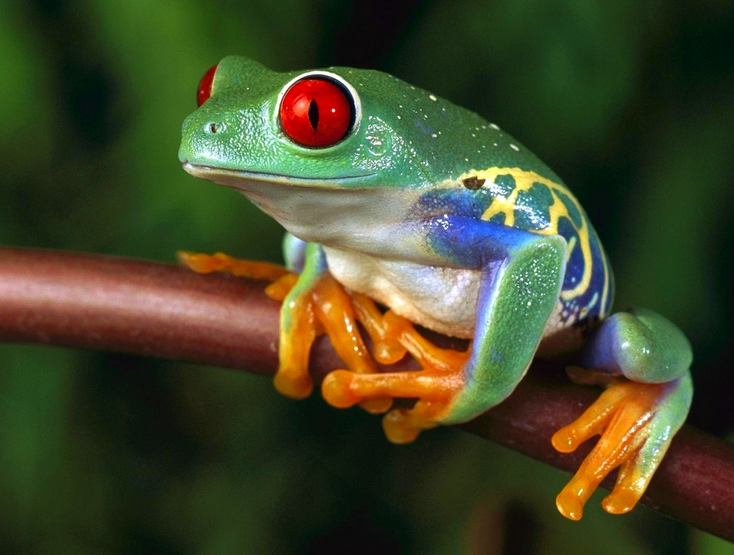
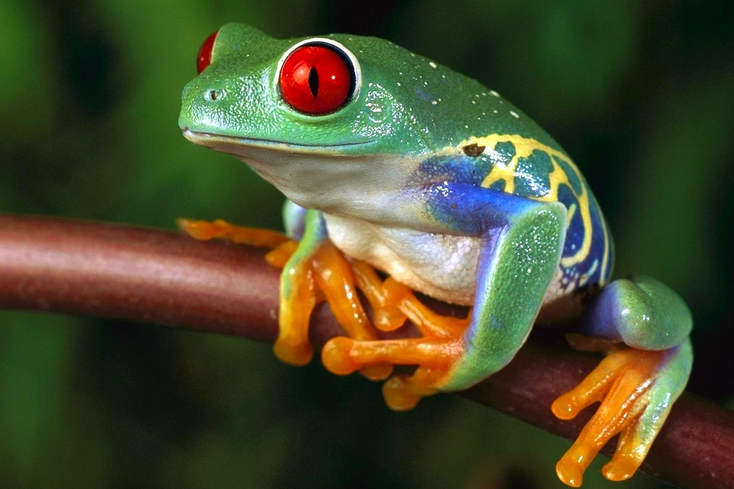
|  | Original aspect ratio (1.323):
/docs/frog.png
|
|  | Cropped to 3:2 (1.5):
/docs/frog.png?aspect\_ratio=3:2
|
## Aspect ratio range
You can spcify a range of aspect ratio, for example **aspect\_ratio=4:3,16:9**. Images which fall within this range, will not be cropped. Useful to avoid very wide ot very tall images by cropping them to the closest aspect ratio.
### Examples
| | |
| ------------------------------------------------------------------------------------------------------------------------------------------------------------------------------------------------------------------- | ------------------------------------------------------------------------------------------------------------------------------------------------------------------------------------------------------------------------------------------------------------------------------------------------ |
|  | Original aspect ratio 1.5:
/docs/car1.jpg?w=400
|
|  | Aspect ratio range 1.5..2 (no crop needed):
/docs/car1.jpg?w=400&aspect\_ratio=1.5,2.0
|
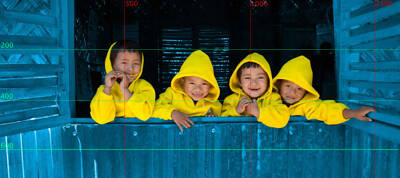
|  | Original aspect ratio 2.25:1 (2.25):
/docs/kids.jpg?w=400
|
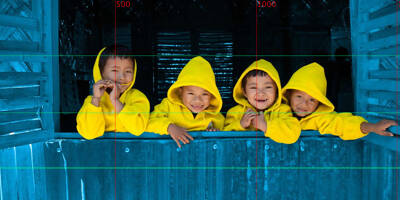
|  | Aspect ratio range 3:2..2:1 (1.5..2):
/docs/kids.jpg?w=400&aspect\_ratio=3:2,2:1
|